The RIPE Network Coordination Centre (RIPE NCC) is the Regional Internet Registry (RIR) responsible for managing the allocation and registration of Internet number resources, including IPv4, IPv6 addresses, and Autonomous System Numbers (ASNs) in Europe, the Middle East, and parts of Central Asia. Organizations that need to manage their own Internet resources must register with RIPE NCC. This guide outlines the steps for successful registration and membership.
Step 1: Understand RIRs and the RIPE NCC Region
To acquire internet resources, an organization must be a member of the appropriate RIR based on its geographic location. There are five RIRs worldwide:
- RIPE NCC: Europe and the Middle East
- ARIN: U.S., Canada, Bermuda, and the Caribbean (English Speaking side)
- APNIC: Asia and Pacific nations
- LACNIC: South America, Central America, Mexico, and the Caribbean (Non English speaking side)
- AFRINIC: Africa
If your organization operates in the RIPE NCC region, it must become a member of RIPE NCC by setting up a Local Internet Registry (LIR) account.
Step 2: Prepare the Required Documents
To complete your RIPE NCC registration, you must gather the following documents:
- Legal Documentation: Company registration papers and notarized proof of authorization if required.
- Identification Documents: Required if registering as an individual.
- Network Plan and Justification: Details of how many IP addresses are needed and their intended use, along with existing infrastructure details.
- Signatory Information: Ensure an authorized signatory is available to sign the Service Agreement.
Step 3: Open a RIPE NCC Access Account
Begin by creating a RIPE NCC Access account at https://my.ripe.net/#/public/membership.
This account allows you to manage resources, interact with the RIPE NCC, and perform necessary setup steps.
Creating the account takes 5-10 minutes and is a prerequisite for the remaining steps.
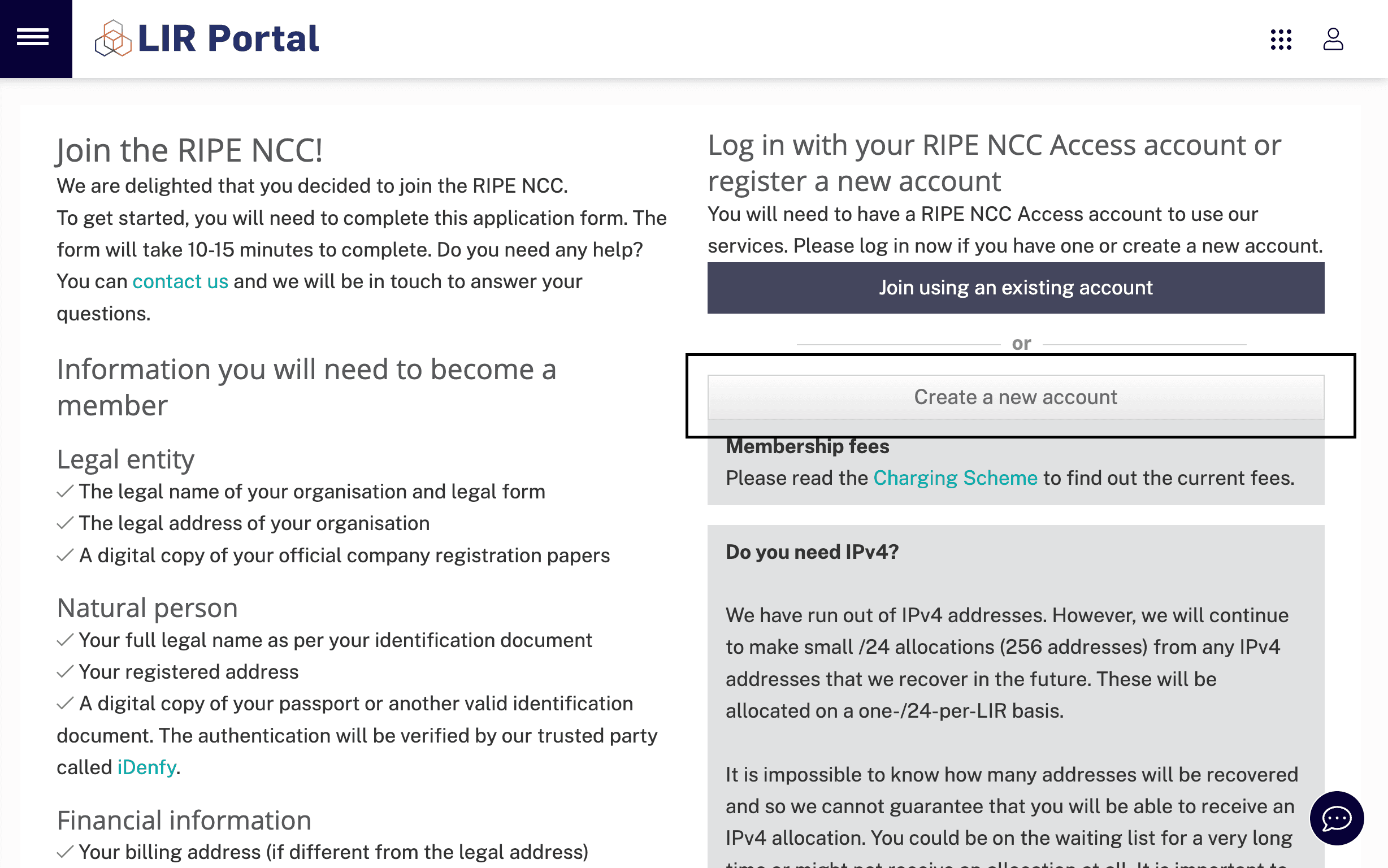
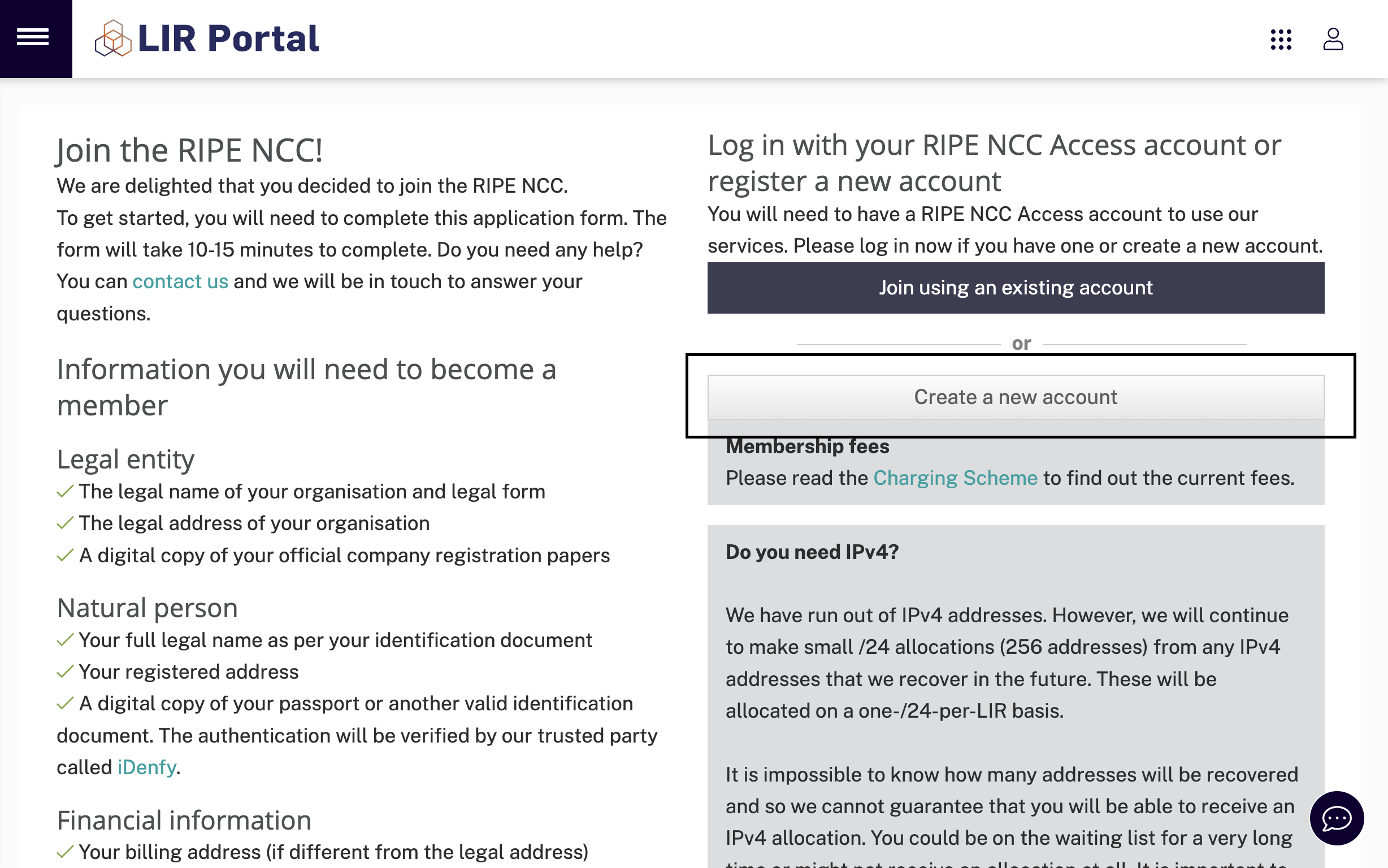
Open the https://my.ripe.net/#/public/membership page and Click "Create New Account" button
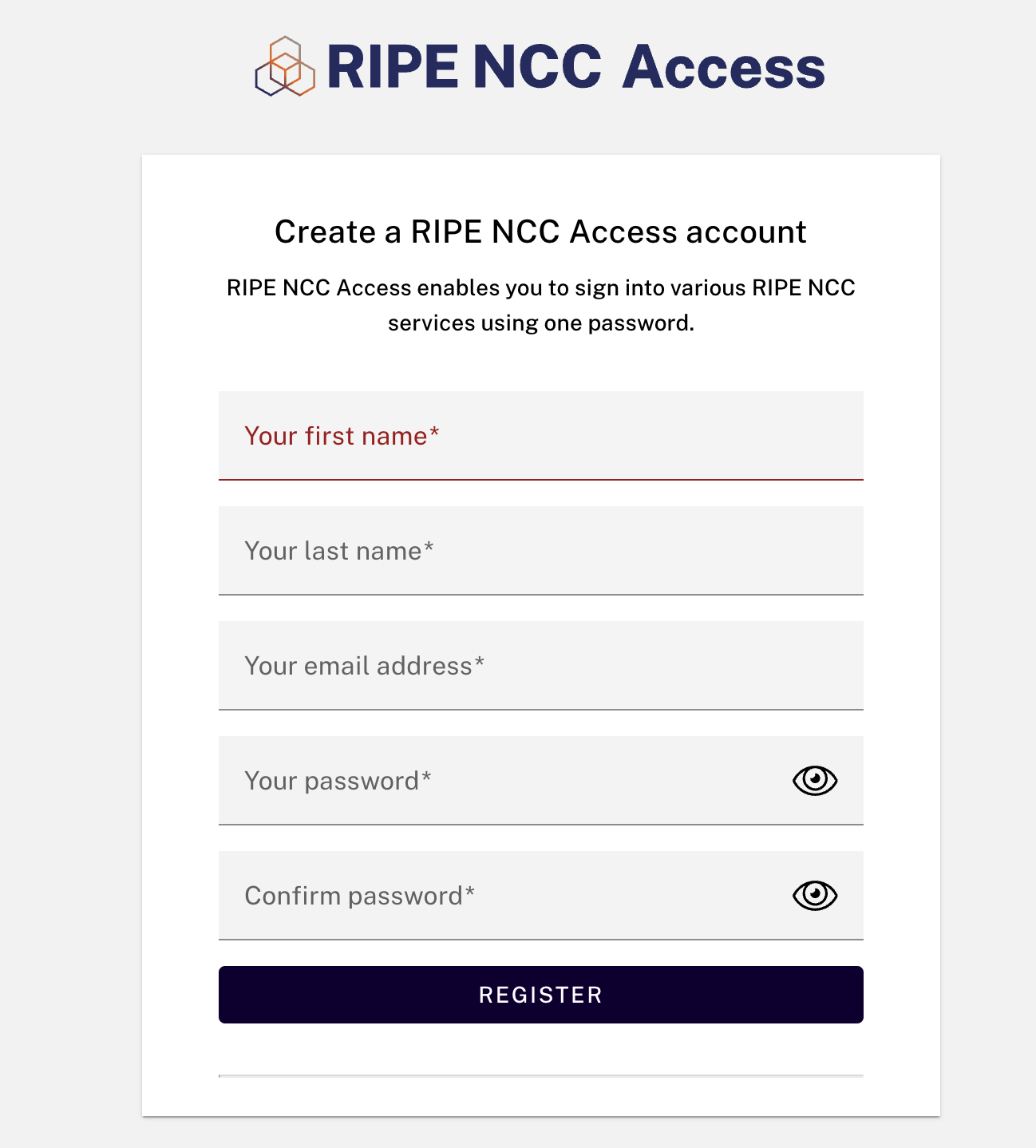
Write your account informations and Click "Register" button
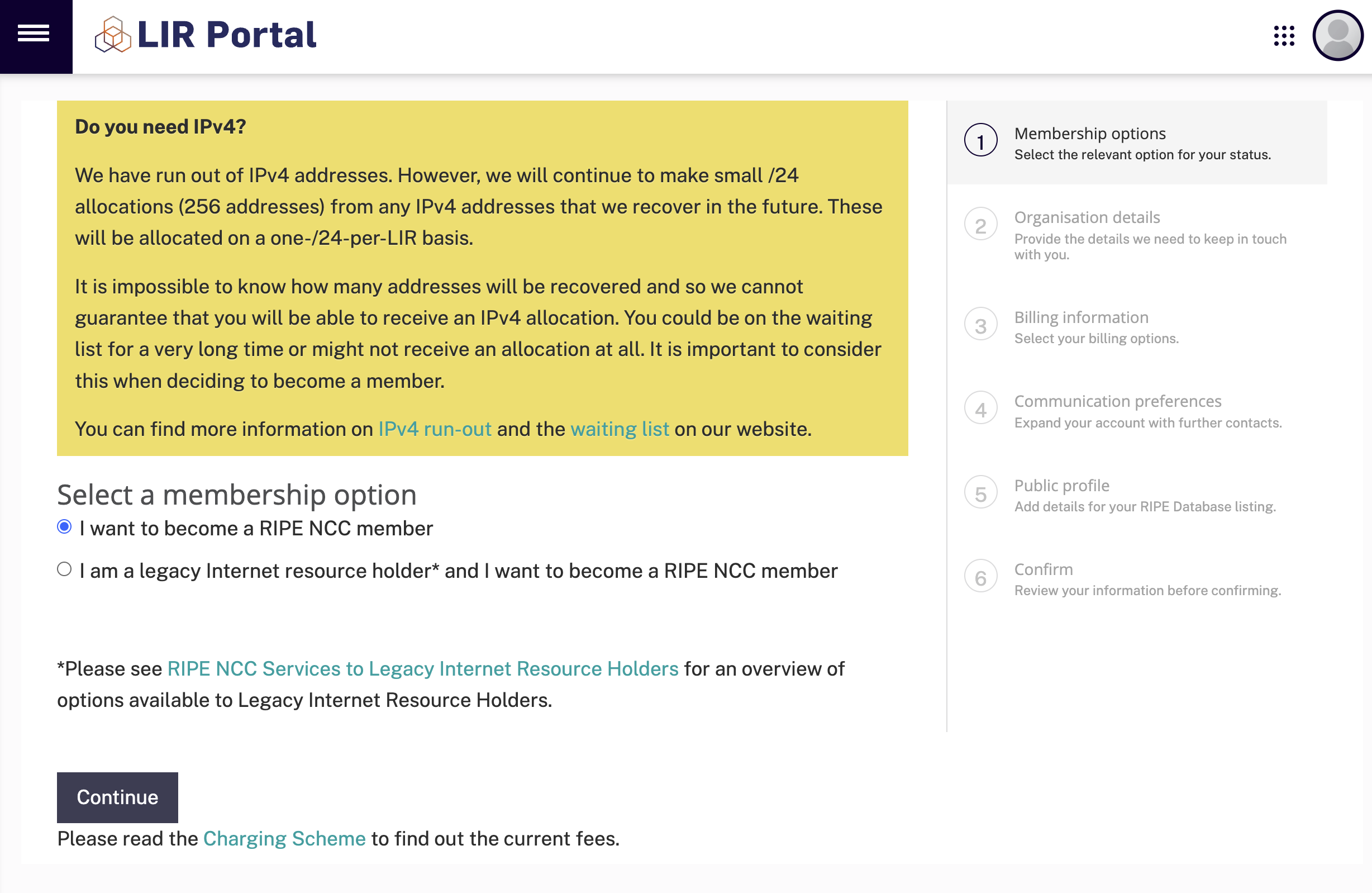
In this step, select your membership option and click "Continue" button
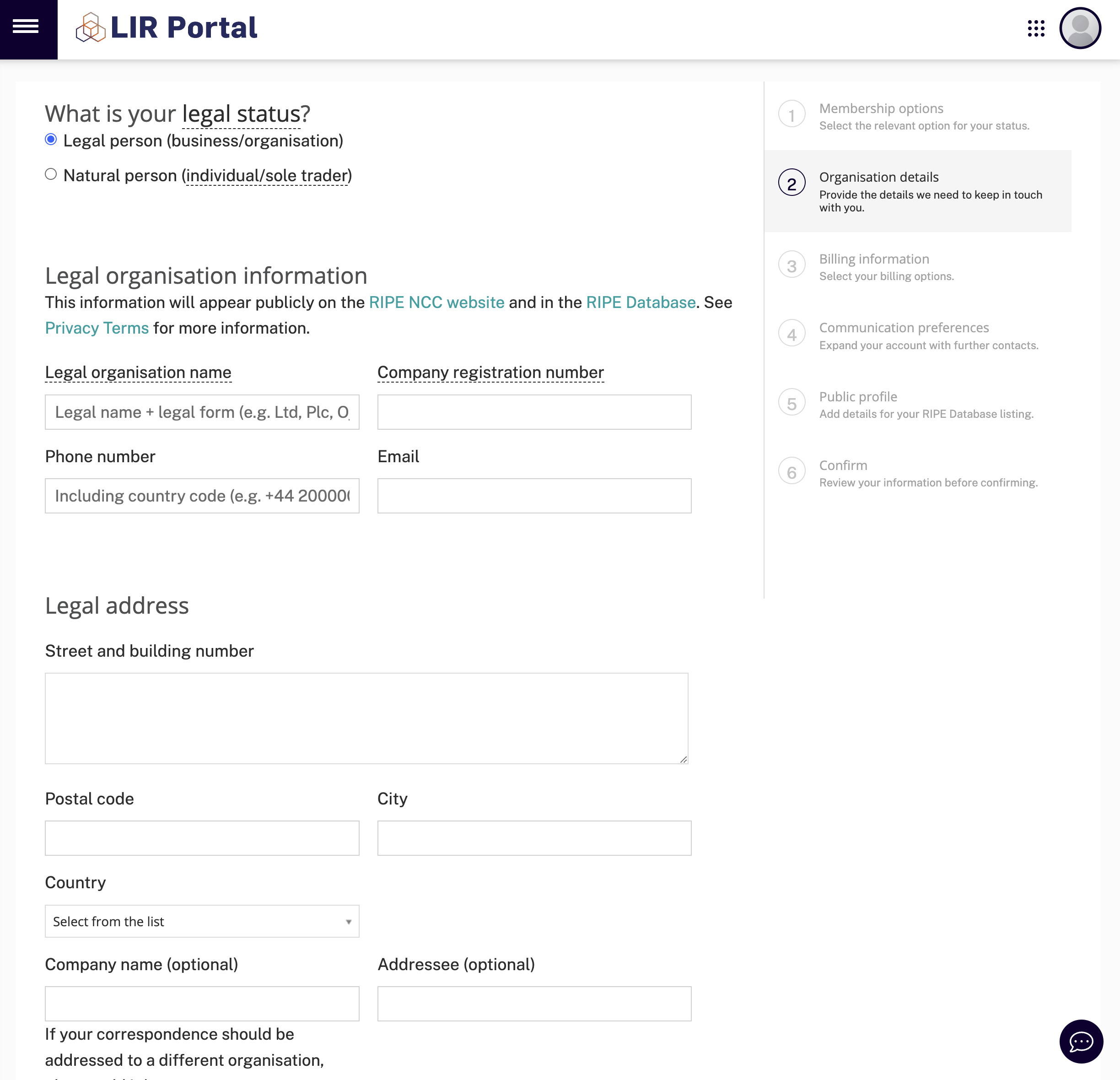
Write your Organisation Informations to the relevant inputs, don't use any characters that is not exist in the regular english alphabet and scroll down the page
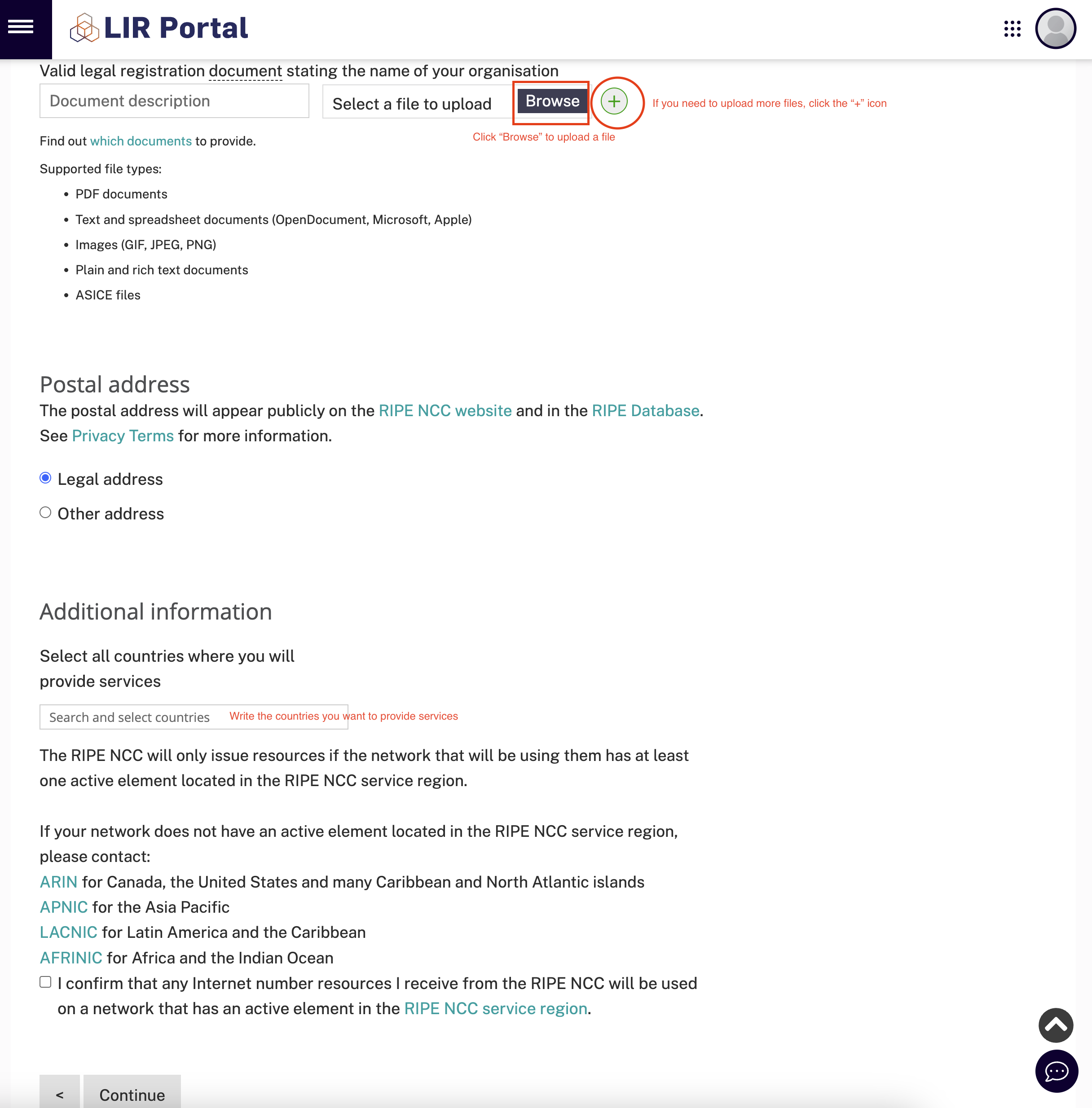
Upload your registration documents on the Document section, if you have more files to upload you can click "+" icon to add more files.
At the end of the page write the countries that you want to provide services and confirm the checkbox and Click "Continue" button.
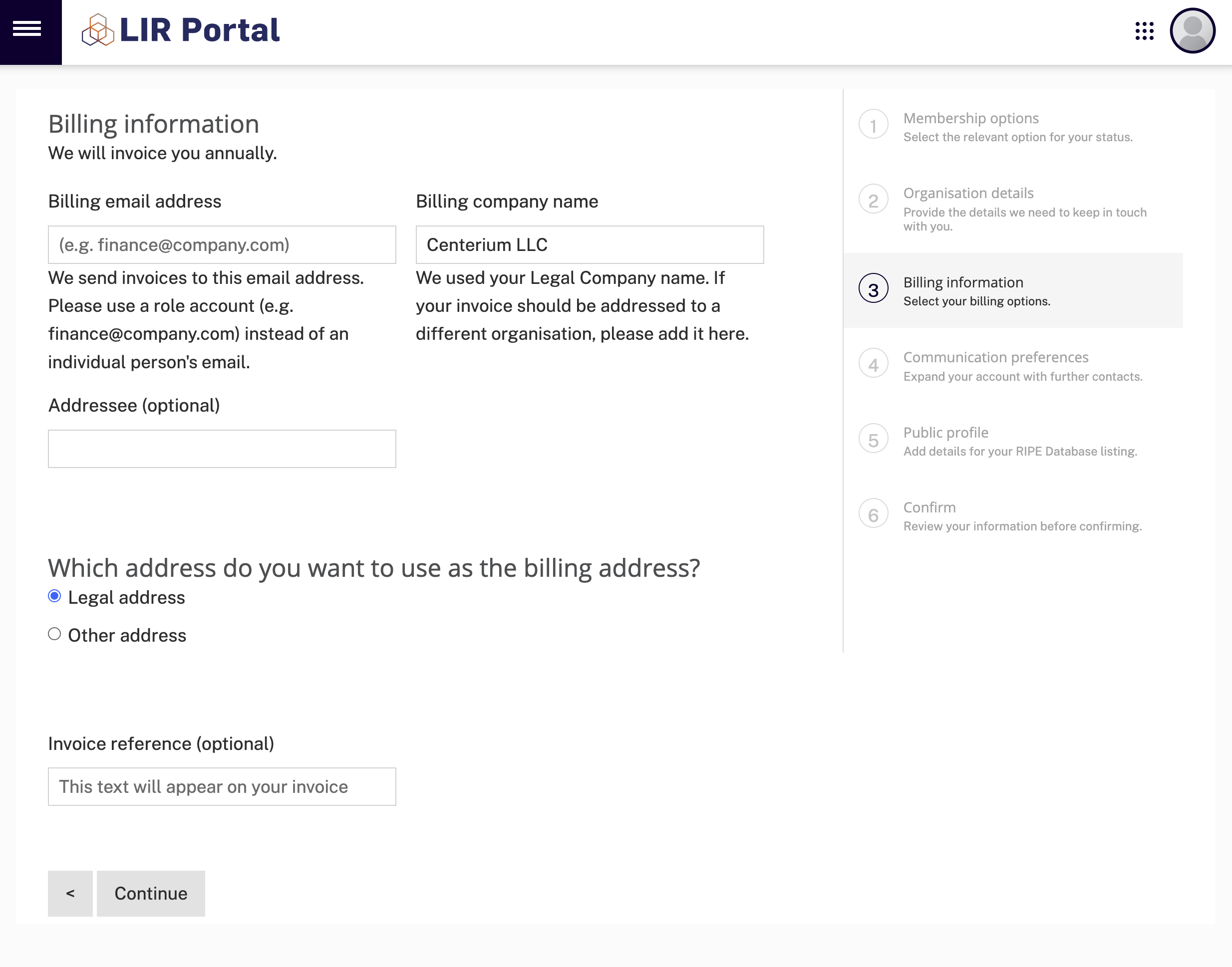
Write your billing informations and click "Continue"
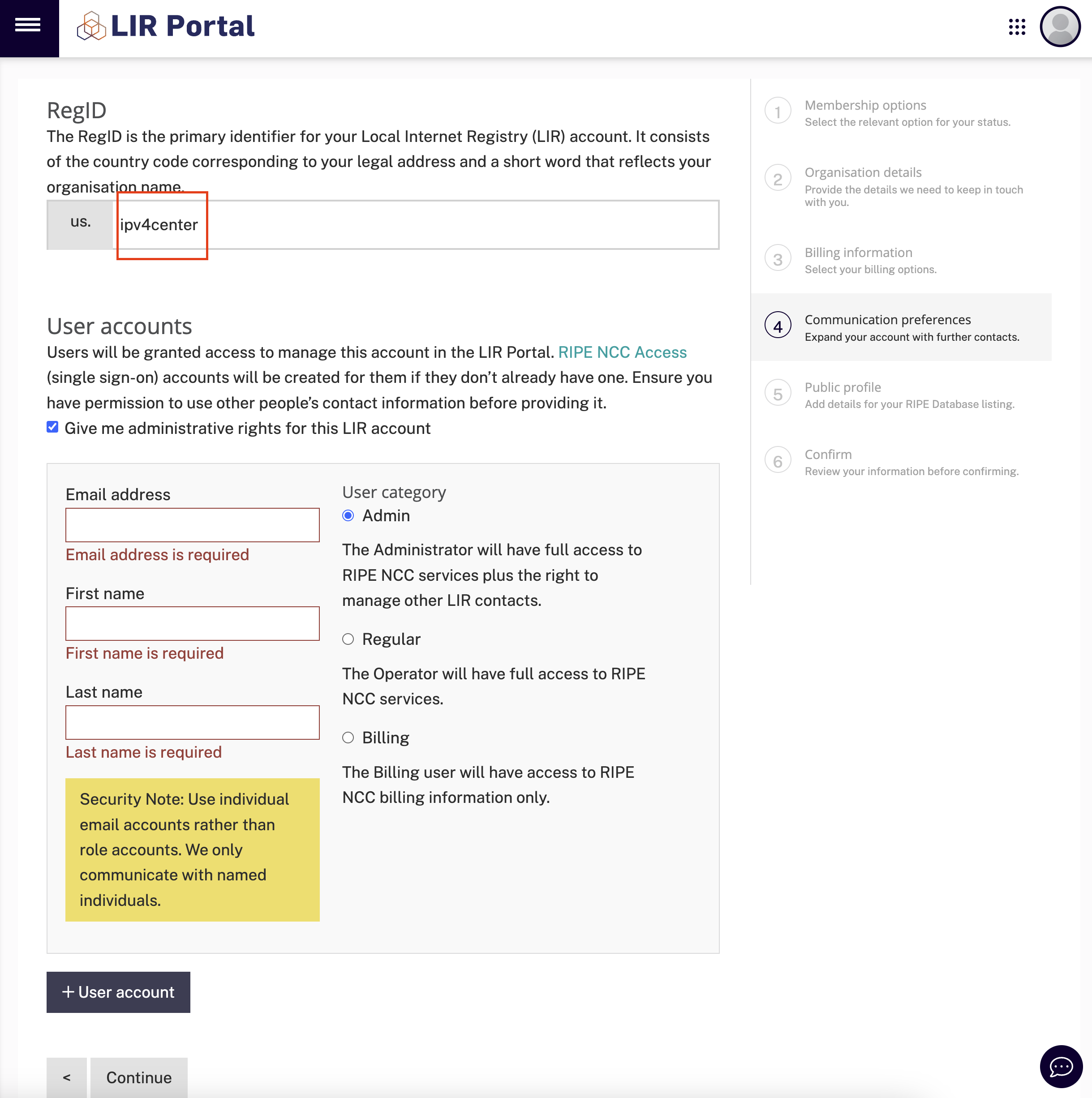
Choose the RegID you want, you can pick your company name without any special characters, e.g. : IPv4.Center, regid : ipv4center
Create the user accounts if you have multiple persons in your company who needs to manage the resources
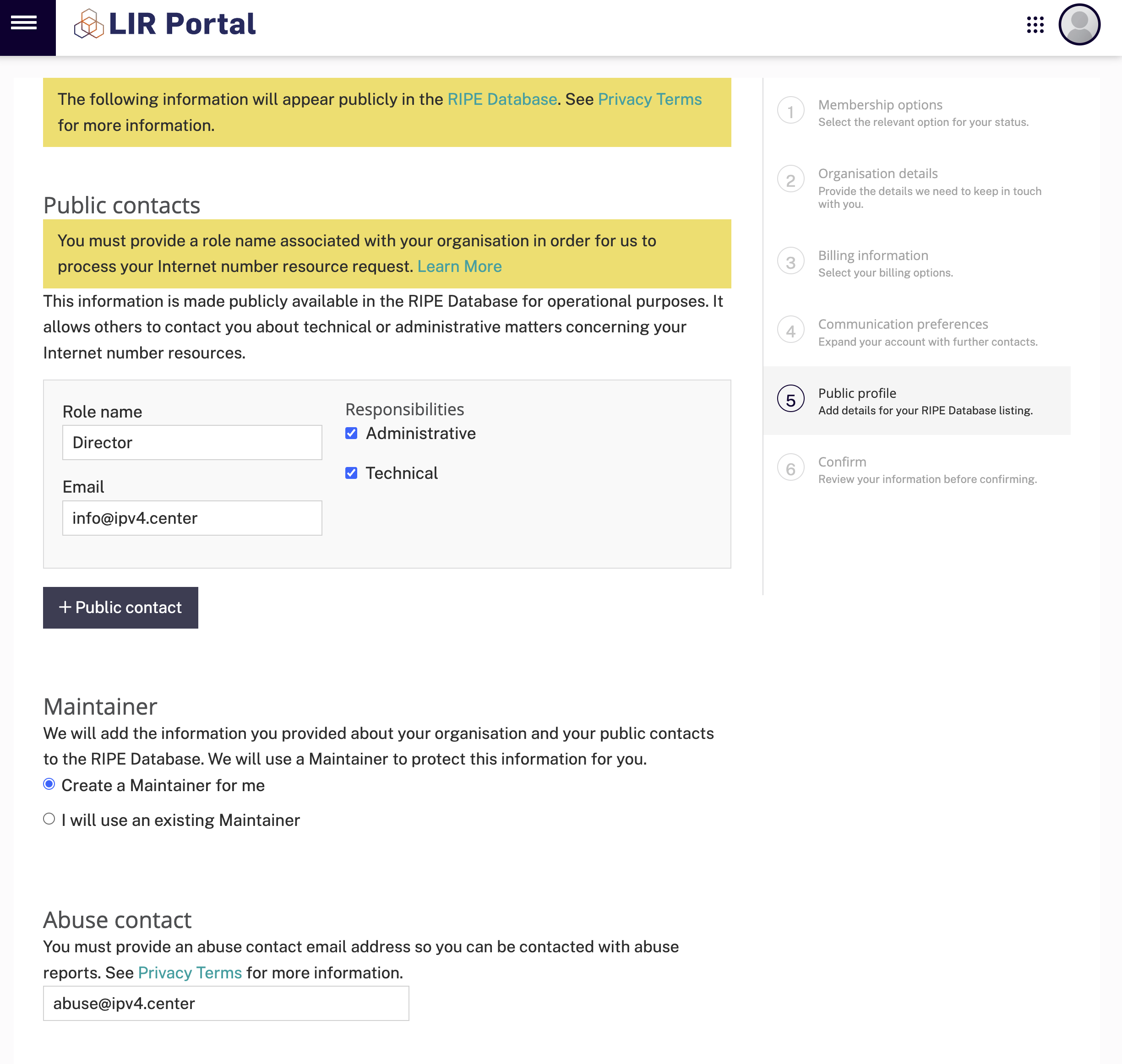
Fill the public contacts roles and email and add an abuse contact email in case of any abuse incidents happens.
Click "Continue" button
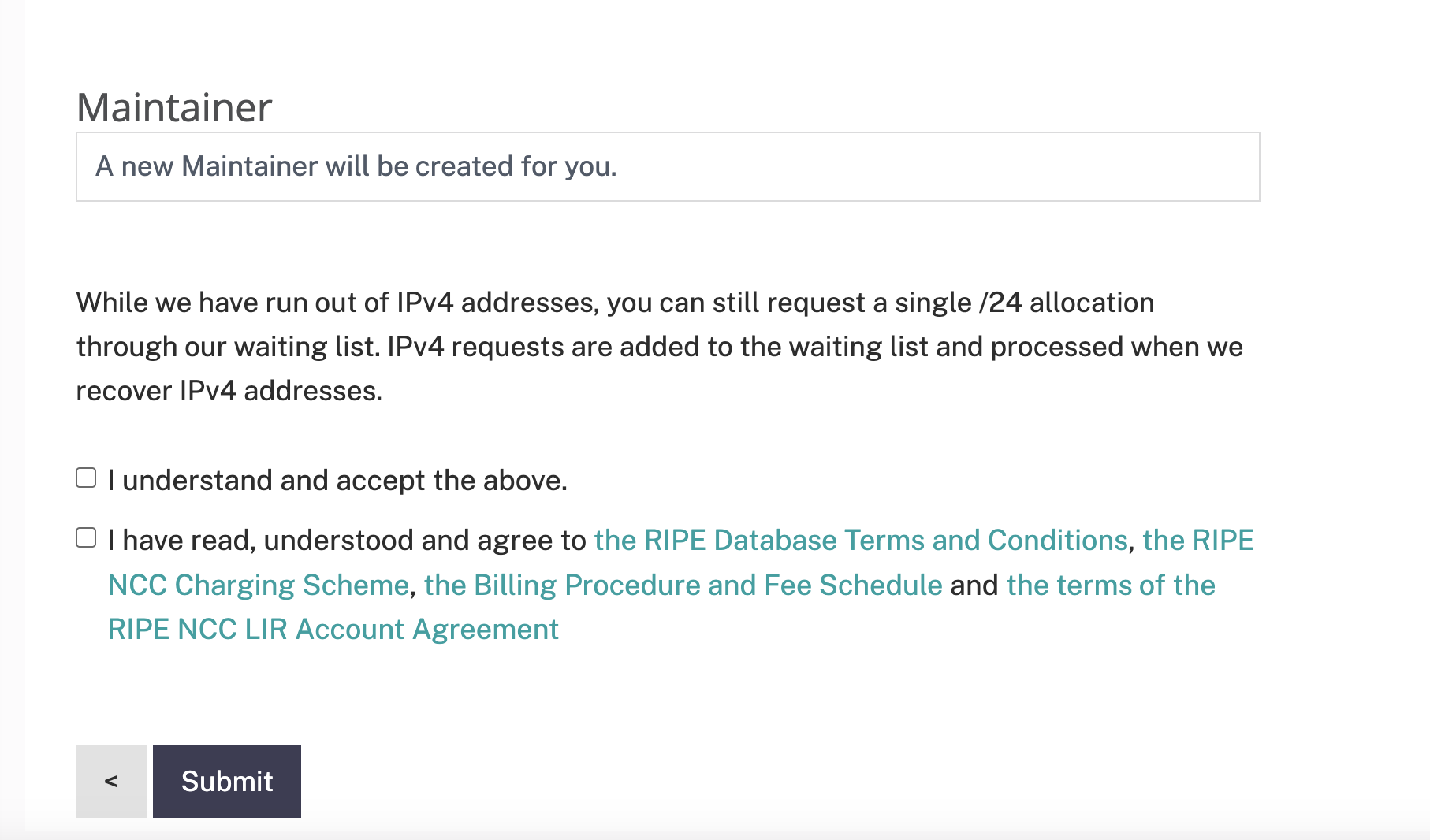
Check the informations that you provided before and if all correct go to the end of the page and confirm the two checkbox and click "Submit"
Step 4: Create RIPE Database Objects (Optional)
In the RIPE NCC system, database objects represent organizations and individuals. Setting up the following is essential:
- Role and Maintainer Objects: Navigate to RIPE Database > Create an Object and select "role and maintainer pair." Use a naming convention like CompanyName-mnt for the maintainer and "Network Operations Center" for the role.
- Organization Object: Use the maintainer created above and name the organization something like CompanyName-ripe, with the official company name in the org-name field.
Step 5: Sign the Service Agreement
Now you have to wait 1-3 working days to RIPE's approval of your request.
After approval, RIPE NCC will issue a Service Agreement. This document must be signed by an authorized representative of your organization. Ensure all required documentation, including legal and signatory proof, is attached during submission.
Step 6: Pay the Membership and Signup Fees
RIPE NCC membership fees include:
- Signup Fee (One-Time): €1,000
- Annual Membership Fee: €1,800
These fees cover administrative costs, resource allocation, and access to RIPE NCC services. Payments can typically be made via bank transfer or other accepted methods.
Step 7: Request Internet Resources
Once your membership is active, you can request IPv4, IPv6, or ASNs through the LIR Portal. The request process includes submitting your network plan and resource justification. Note that IPv4 resources are scarce, so requests are closely evaluated.
Step 8: Maintain Compliance and Monitor Resources
As a RIPE NCC member, your organization must adhere to RIPE NCC policies, including:
- Updating resource usage details in the RIPE database.
- Participating in community discussions on internet governance.
Resource management is an ongoing responsibility, requiring regular updates to ensure compliance and efficiency.